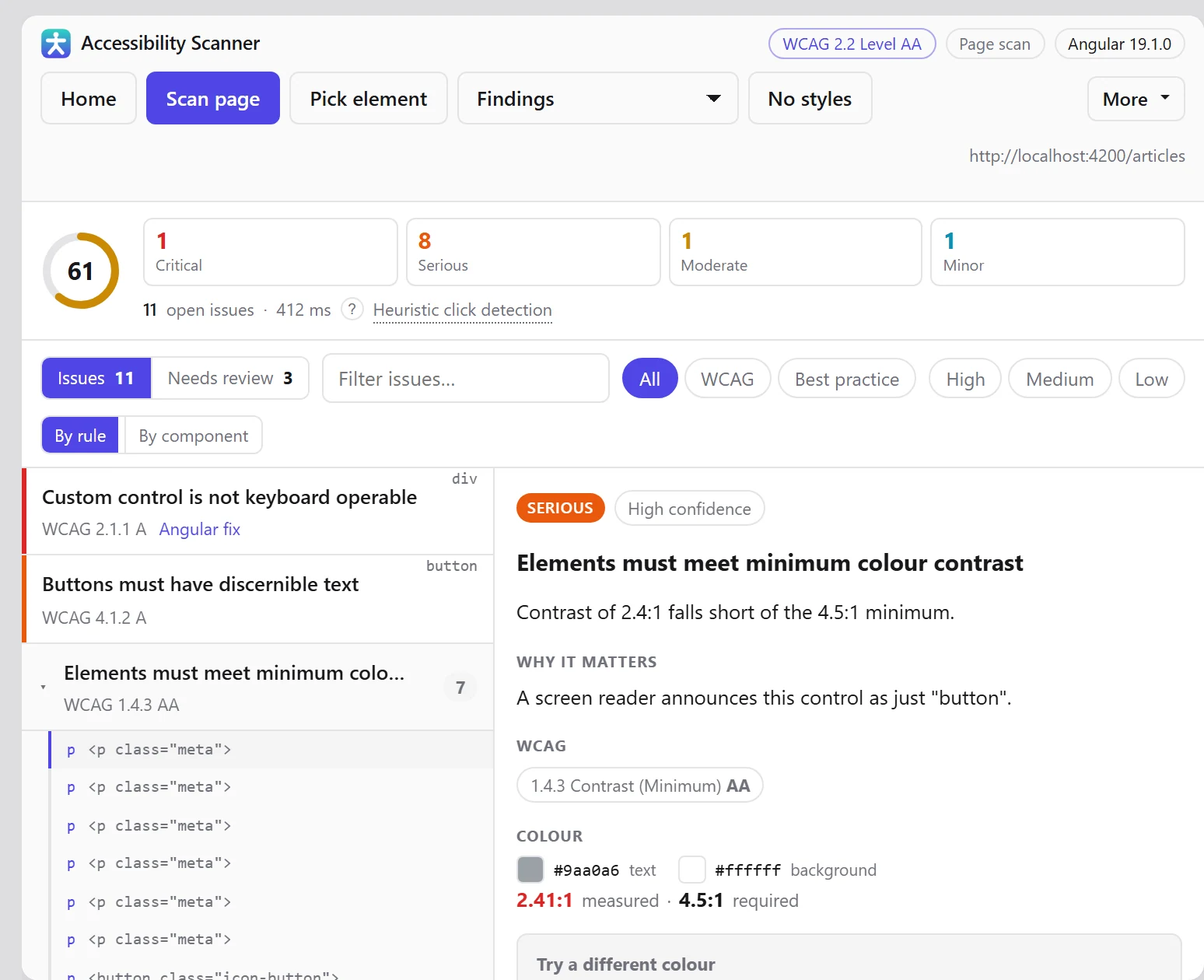
Measured, not estimated
Every contrast finding carries the computed foreground and background, the measured ratio, and the threshold it was measured against — which depends on the text size and weight, not just the colours.
Try shades until one passes
A slider walks the foreground colour lighter or darker, showing the ratio live and marking the first shade that passes. The suggestion is the nearest passing colour rather than an arbitrary one, so the change to your palette is as small as it can be.
The result is a hex value you can paste.
What it measures
Every contrast finding carries the numbers behind it:
- the computed text colour and background colour, as hex values
- the measured ratio, for example 2.41:1
- the required ratio, which depends on the text's size and weight: 4.5:1 for normal text, 3:1 for large or bold text
The colours come from the browser's computed styles, the colours actually on screen, not the values in your stylesheet. A colour inherited from three components up, or overridden by a theme, is measured as it really renders.
Find a colour that passes
Knowing a colour fails is the easy part. The tuner tells you what to use instead:
- Open a contrast finding and choose Try a different colour.
- A slider walks the text colour lighter or darker, showing the ratio live as you move it.
- The first shade that passes is marked. That is the nearest passing colour: the smallest change to your palette that meets the requirement.
- Copy the hex value and paste it into your code.
Because the suggestion is the nearest passing shade rather than an arbitrary "use black", the fix keeps your design intact.
When there is no single answer
Text over an image, a gradient or a video has no single background colour. Rather than invent a ratio, the scanner reports these cases as needs review, so a person can check them by eye. They never count against the score.
Tips
- Fix the component, not every instance. A failing colour usually comes from one shared component. Switch the findings list to By component to see how many instances one change will fix.
- Scan settled pages. A background image that has not loaded yet can turn "undecidable" into "failing".
- Turn the tuner off in Settings if you only want the ratios. The findings are the same without the suggested colour.
Worth knowing: Contrast is measured against computed styles. Text over an image or a gradient has no single background colour, and those cases are reported for review rather than given a ratio that would be fiction.
Start with the page you are on
Install the extension, press F12 and open the Accessibility tab. No account, nothing to configure, and nothing leaves your machine.