Nothing leaves your device
There is no backend service, no telemetry, no crash reporting, no analytics and no third-party SDKs. The rule engine is bundled with the extension and runs on your machine.
Licence keys are verified locally, not against a server.
The one request it makes
Find in source reads a source file from the development server that is already serving the page you are looking at — same origin, a read, and only when you ask for it. That is the only network request the extension makes, and it is described in full in the privacy policy.
What is kept, and how to remove it
Why this matters for accessibility testing
Accessibility testing means pointing a tool at the pages you are still building: staging servers, admin screens, customer accounts, pages behind a login. A cloud-based scanner sends that content to someone else's servers. This one does not.
What the extension never does
- No accounts and no sign-in.
- No backend service. The rule engine is bundled with the extension and runs on your machine.
- No telemetry, crash reporting or analytics.
- No third-party SDKs.
- Licence keys, when licensing starts, are verified locally, not against a server.
The one request it makes
Find in source (for Angular development builds) reads a source file from the development server that is already serving the page you are looking at. It is the same origin, it is only a read, and it only happens when you press the button. That is the only network request the extension makes. Source-mapping results are held in memory and never written to history.
Permissions, and why
| Permission | Why it is needed |
|---|---|
scripting | To run the scanner in the page you choose to scan |
storage | To keep your settings, reviews, flows and (optional) history on your device |
contextMenus | For the right-click Accessibility Scanner entry |
| Access to sites | So you can scan any page you open, including frames inside it |
It deliberately does not ask for the tabs or downloads permissions. Exports are created as local files in your browser instead.
What is stored, and how to remove it
| What | Where | How to remove it |
|---|---|---|
| Settings and theme | On your device | Settings page |
| The current scan | Browser session only | Cleared when the browser closes |
| Scan history (last 10 scans) | On your device | History tab: delete one, clear all, or switch history off |
| Recorded user flows | On your device | Delete each flow in the panel |
| Manual reviews | On your device | Reset per page, or Settings → Manual reviews |
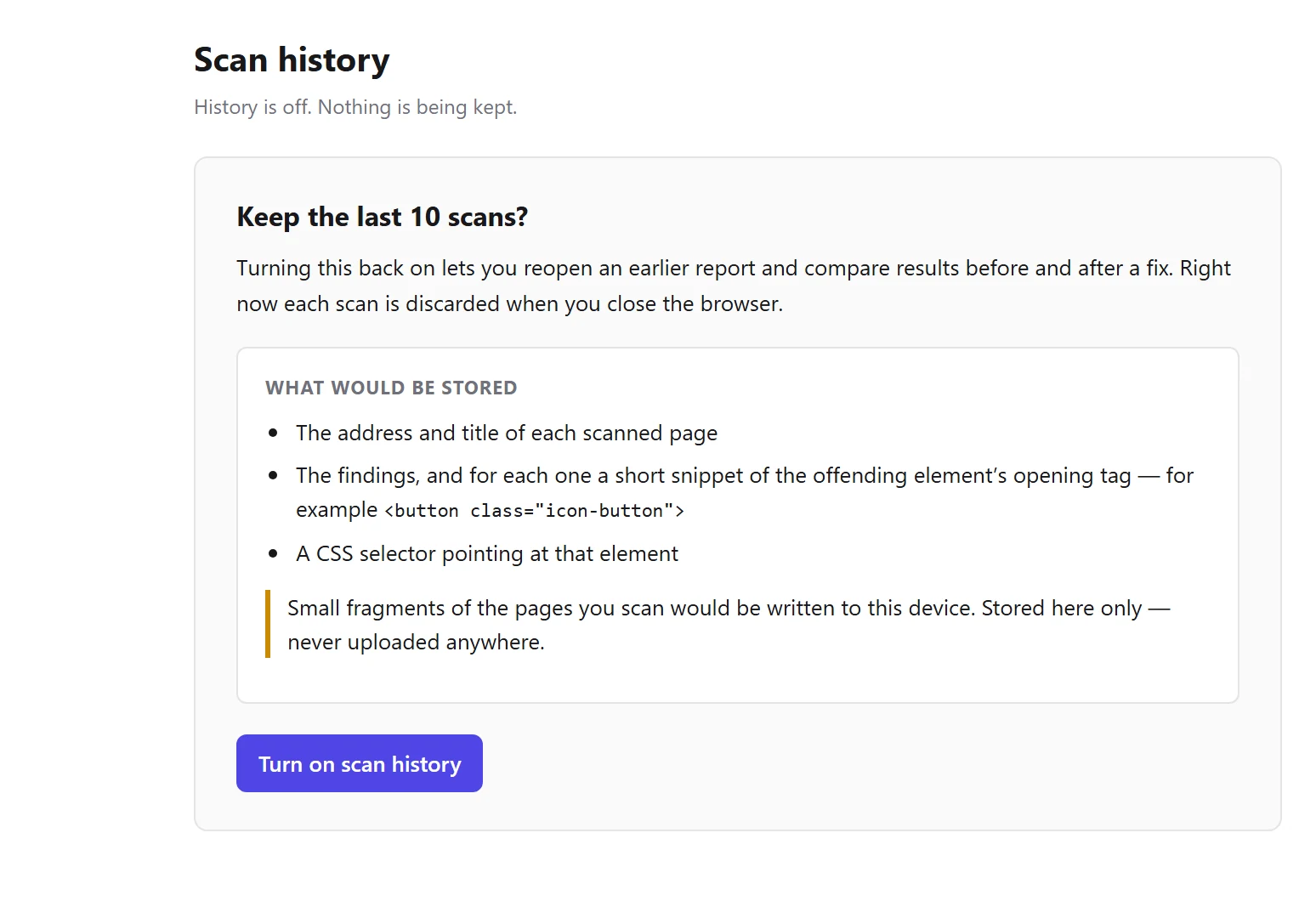
Scan history keeps fragments of the pages you scan (the address and title, and for each finding a short snippet of the element's opening tag and a CSS selector), so the History tab tells you exactly that the first time you open it, with the off switch right beside it. Switching history off deletes everything already stored.
Nothing in any of these is ever transmitted. See the privacy policy for the full details.
Worth knowing: Scan history retains content derived from the pages you scan, on your device. It is on by default and can be switched off entirely.
Start with the page you are on
Install the extension, press F12 and open the Accessibility tab. No account, nothing to configure, and nothing leaves your machine.