Pick the one you are held to
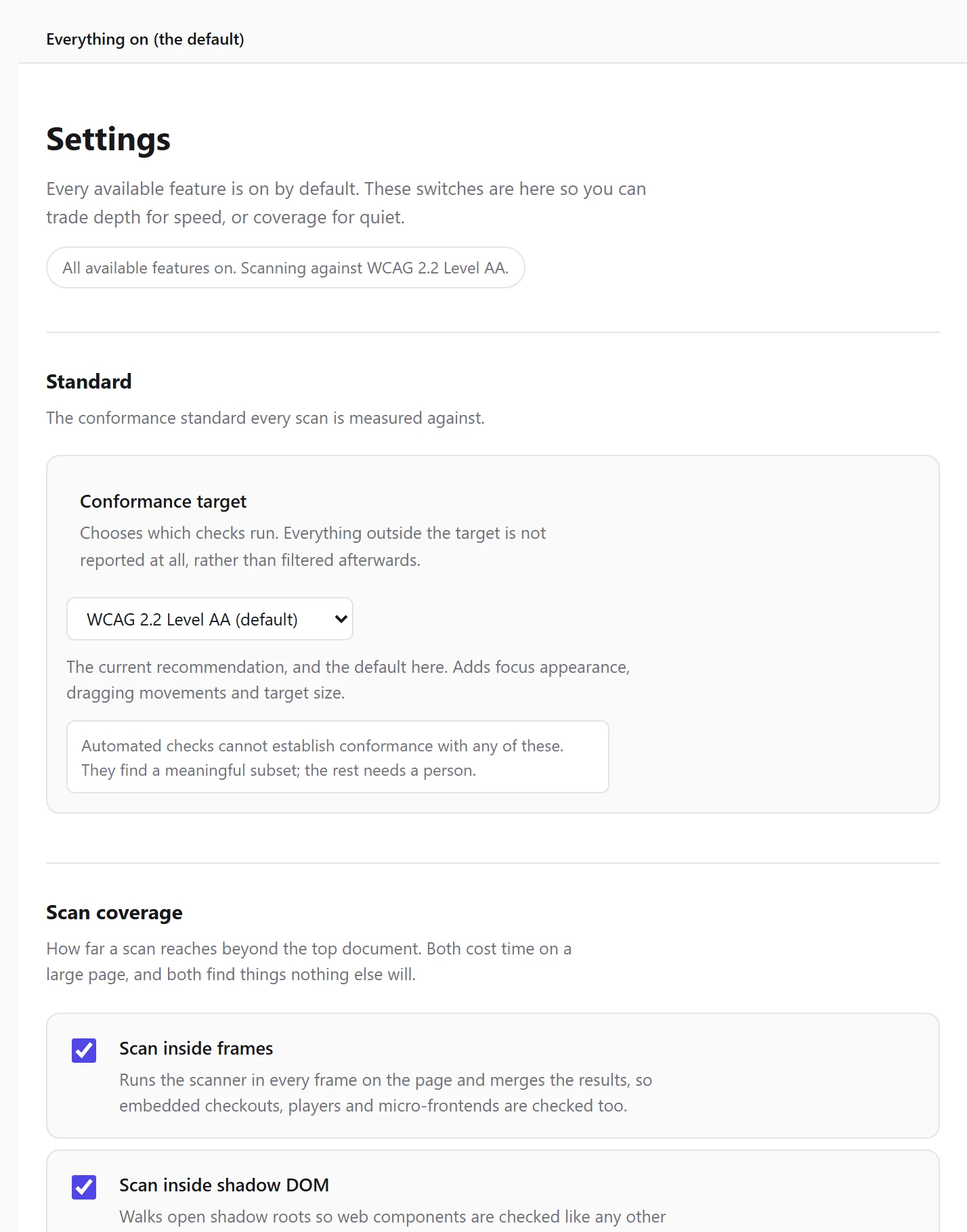
The standard is a setting, not a filter applied afterwards. Choose Level AA and Level AAA rules do not run, are not counted, and do not appear greyed out somewhere waiting to be noticed.
No inflated claims
WCAG 2.0 has no Level AAA in this tool because WCAG 2.0 Level AAA is not what the rule set covers. The regional standards run the exact WCAG set they adopt, and the settings page names it — rather than implying a separate, deeper audit that is not happening.
Choose the standard you are held to
Different organisations are held to different standards: an agency to WCAG AA, a US federal project to Section 508, a public body in the EU to EN 301 549, a French public site to RGAA. The scanner supports all of them, and you choose one in Settings → Standard → Conformance target.
| Target | What runs |
|---|---|
| All available checks | Every rule, including experimental and AAA ones. The most thorough, and the noisiest |
| WCAG 2.2 (A, AA, AAA) | The current version of WCAG. AA is the default target |
| WCAG 2.1 (A, AA, AAA) | The version EN 301 549 and RGAA build on |
| WCAG 2.0 (A, AA) | Still required by some older policies |
| Trusted Tester v5 | The US federal test process: a curated subset of WCAG 2.0 AA |
| Section 508 (Revised) | Runs WCAG 2.0 Level AA, which the Revised 508 rule adopts |
| EN 301 549 | Runs WCAG 2.1 Level AA, which clause 9 adopts |
| RGAA 4 | The French framework: close to WCAG 2.1 AA, with checks of its own |
AAA adds the few AAA checks that can be automated.
It changes what runs, not what is shown
The standard is applied before the scan, not as a filter afterwards. Choose Level AA and Level AAA rules do not run at all. They are not counted, and they do not sit greyed out somewhere waiting to be noticed. Out-of-scope checks cost no scan time.
No inflated claims
- Regional standards run the exact WCAG set they adopt. Choosing Section 508 or EN 301 549 runs precisely that WCAG level, and the settings page says which. It does not imply a separate, deeper audit that is not happening.
- WCAG 2.0 Level AAA is not offered. Almost nobody targets it, and listing it next to the versions that matter would only add noise.
- No automated scan establishes conformance with any standard. The settings page says so, and so does every report.
In CI
The CI bundle takes the same targets through its standard option, for example wcag21aa, section508, en301549, ttv5, rgaa4 or all. See the Playwright & CI guide.
Start with the page you are on
Install the extension, press F12 and open the Accessibility tab. No account, nothing to configure, and nothing leaves your machine.