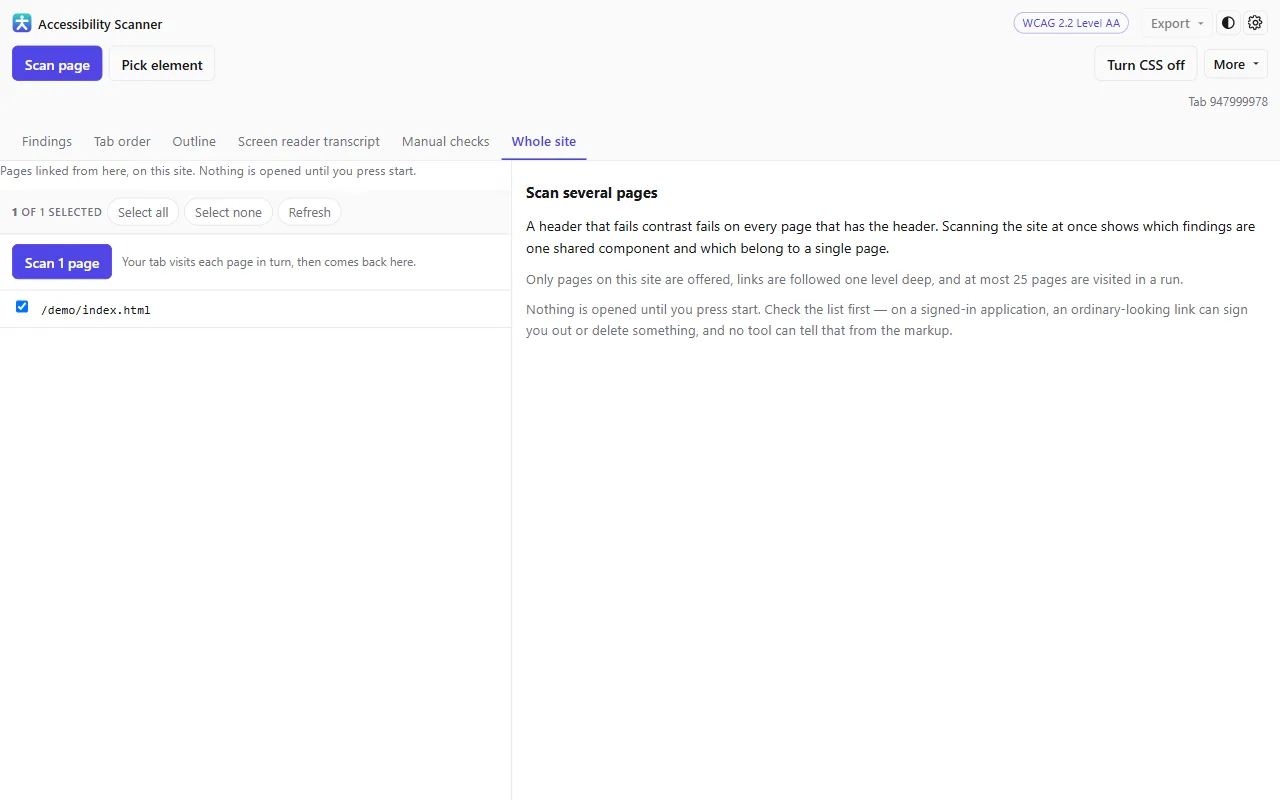
You approve the list first
The scanner collects links from the page you are on, shows you what it found, and waits. Nothing is opened until you have looked at the list and pressed start.
Links whose address suggests they act rather than display — sign out, delete, anything that looks like a form submission — are switched off by default and flagged as risky. You can turn them on; it will not do it for you.
What comes back
Findings from every page, merged, with a count of how many pages each one appears on. A rule failing on all twenty-five is one component. A rule failing on one is a page-specific bug. That distinction is the whole point of the run.
- Same-origin addresses only, discovered from links on the page you were already on.
- At most twenty-five pages in a run.
- The tab is returned to where it started when the run ends.
Worth knowing: This drives your own browser tab through the pages, signed in as you. That is what makes it able to scan pages behind a login — and the reason the list needs your eyes before it starts.
Start with the page you are on
Install the extension, press F12 and open the Accessibility tab. No account, nothing to configure, and nothing leaves your machine.