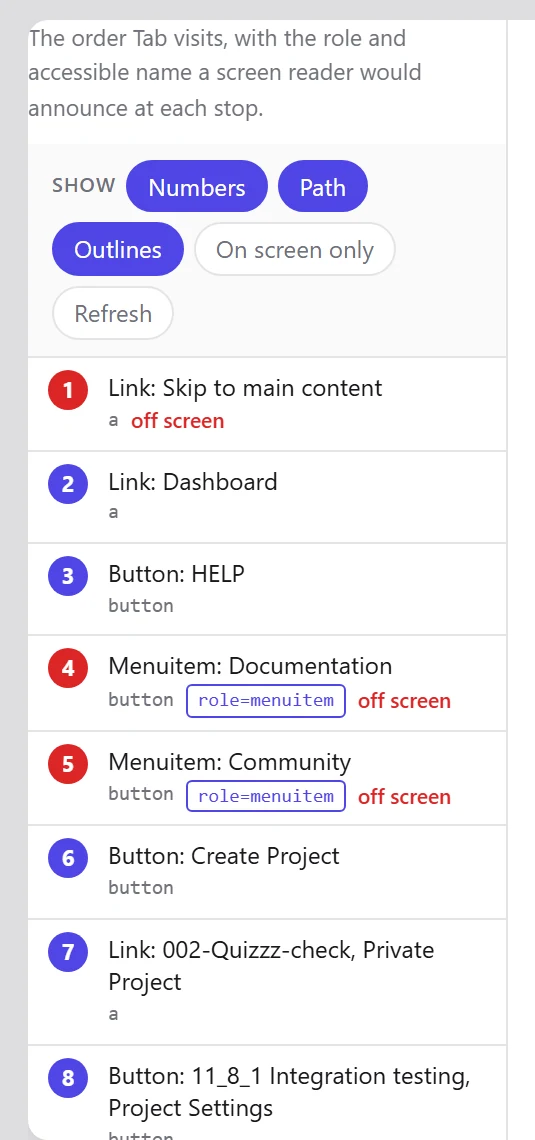
The path, numbered
Every focusable element gets a number and a line to the next one. A path that leaps across the page, doubles back, or steps into something you cannot see is visible at a glance rather than after twenty presses of Tab.
- Positive
tabindex, which almost always breaks the order it was meant to fix. - Elements reachable by keyboard but scrolled off screen.
- Focus that jumps backwards.
- Controls hidden from screen readers but still focusable.
- Controls with no visible focus style.
On-screen only, by default
A long page can hold hundreds of stops, and numbering all of them buries the ones you can see. The overlay starts with only what is on screen, renumbered so the badges read 1, 2, 3 rather than 41, 42, 43 — and you can switch the rest back on.
Start with the page you are on
Install the extension, press F12 and open the Accessibility tab. No account, nothing to configure, and nothing leaves your machine.